YW4 Recomp · fan PC port

Comparisons

What the PC version of Yo-kai Watch 4++ changes, the same spot before and after, with the setting that does it and what it costs. Drag the line across a picture to compare.

111%CPU of one core, against 210% in an emulator
3.9 GBmemory, against 15.7 GB in an emulator
~118frames/s at 4K 21:9 with FSR performance
!

Resolution: the Switch and 4K

Graphics

The Switch draws the world at 1600×900; here it can go up to 3840×2160, 5.8 times the pixels. The menus and text are drawn at the same size on top. Same moment, only the resolution changed (anti-aliasing off in both); the 1600×900 shot is stretched to 4K the way a 4K screen would show it.

Setting
F1 Display › Resolution
Switch
1600×900
Options
1080p, 1440p, 4K
4K speed
90+ frames/s on an RTX 4070 laptop with the other features off; more with upscaling
Record
decision 0031
!

Aspect ratio: ultrawide

Graphics

The world goes on at the sides while the menus stay 16:9 in the middle, where they are on the Switch. Full-screen layers reach the edges; pictures made for 16:9 keep black bars. 21:9 at 4K height (5120×2160).

Setting
F1 Display › Aspect ratio
Options
16:9, 16:10, 21:9, 32:9
Record
decision 0033
!

Shadow map size

Graphics

A bigger shadow map gives sharper, more detailed shadow edges, most visibly far from the camera. The bamboo forest with soft shadows off, so only the map size changes.

Meant to be used with soft shadows (PCSS): a sharp 4096 map alone shows every leaf as a hard dot; soft shadows on top keep the detail and soften it with distance, as in the next section.

Setting
F1 Shadows › Shadow map
Switch
1024
Recommended
4096 with soft shadows ×2
!

Soft shadows (PCSS)

Graphics

Percentage-closer soft shadows behave more like real ones. Shown with the shadow map at 4096.

  • Sharp at the contact: feet, poles, the base of a wall.
  • Softer farther away: tree canopies become dappled shade, not hard dots.
  • Less shimmer on distant shadows while the camera moves.
Setting
F1 Shadows › Soft shadows
Shown with
Shadow map 4096
Recommended
×2
Record
decision 0025
!

Contact shadows

Graphics

The shadow map can't see small, close detail. Contact shadows fill it in from the picture itself: a short ray from each point toward the sun finds what's in the way.

  • Small objects cast their shadow: the taps over the schoolyard sink.
  • Depth in foliage: hedge and flower-bed leaves shade each other.
  • Thin lines under ledges: balconies, a window's awning, a wall's cap.
Setting
F1 Shadows › Contact shadows
Quick flip
F7
Default
On
GPU cost, 4K
+0.04 to 0.25 ms
Limit
only what's on screen casts
Record
decision 0045
!

Anti-aliasing

Graphics

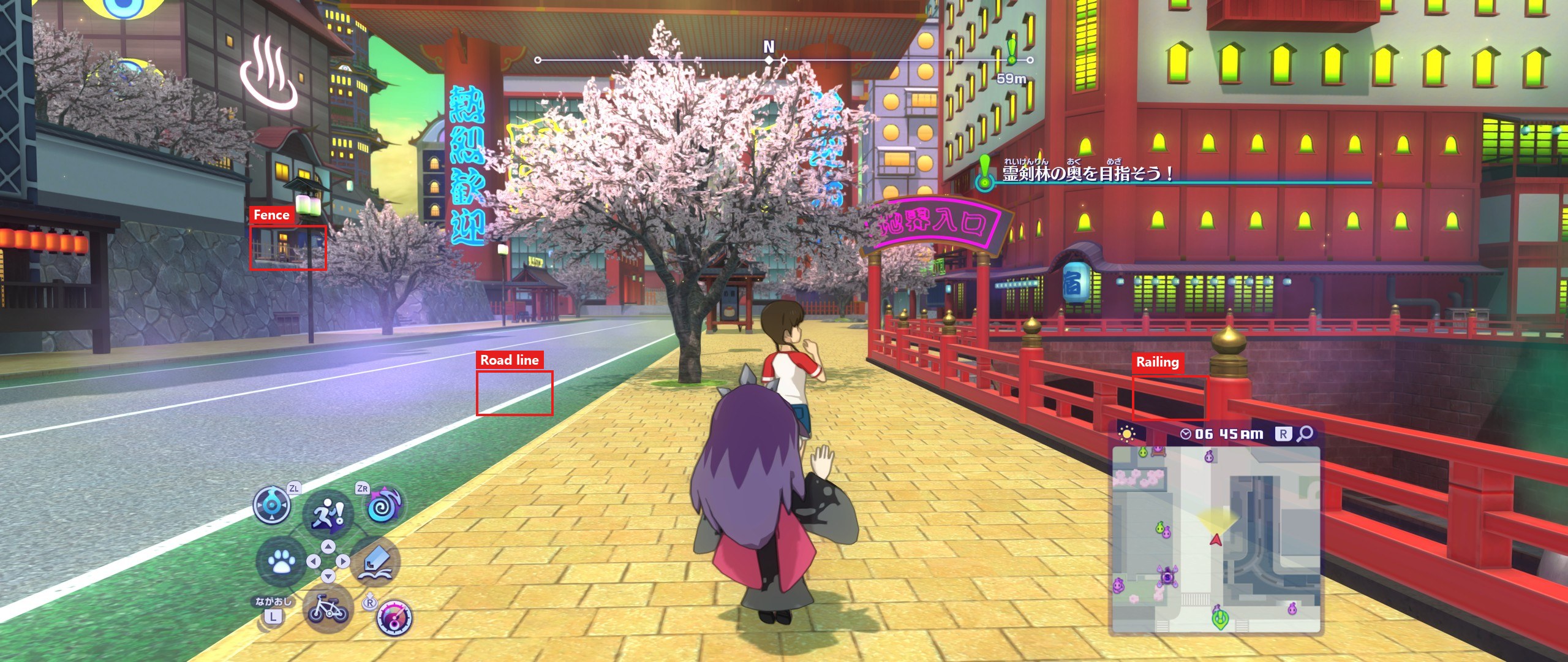
Applied to the 3D scene before the menus are drawn, so text stays sharp. TAA also stops thin things (fences, nets, wires) from shimmering while the camera moves. Yo-kai World, zoomed in 3×.

Setting
F1 Anti-aliasing
Switch
None
Options
FXAA, SMAA, TAA, FSR, DLSS
Record
decision 0032
Yo-kai World street with TAA, the whole frame, the close-ups marked in red
The whole frame, TAA; the red boxes are the close-ups below.
!

Texture filtering

Graphics

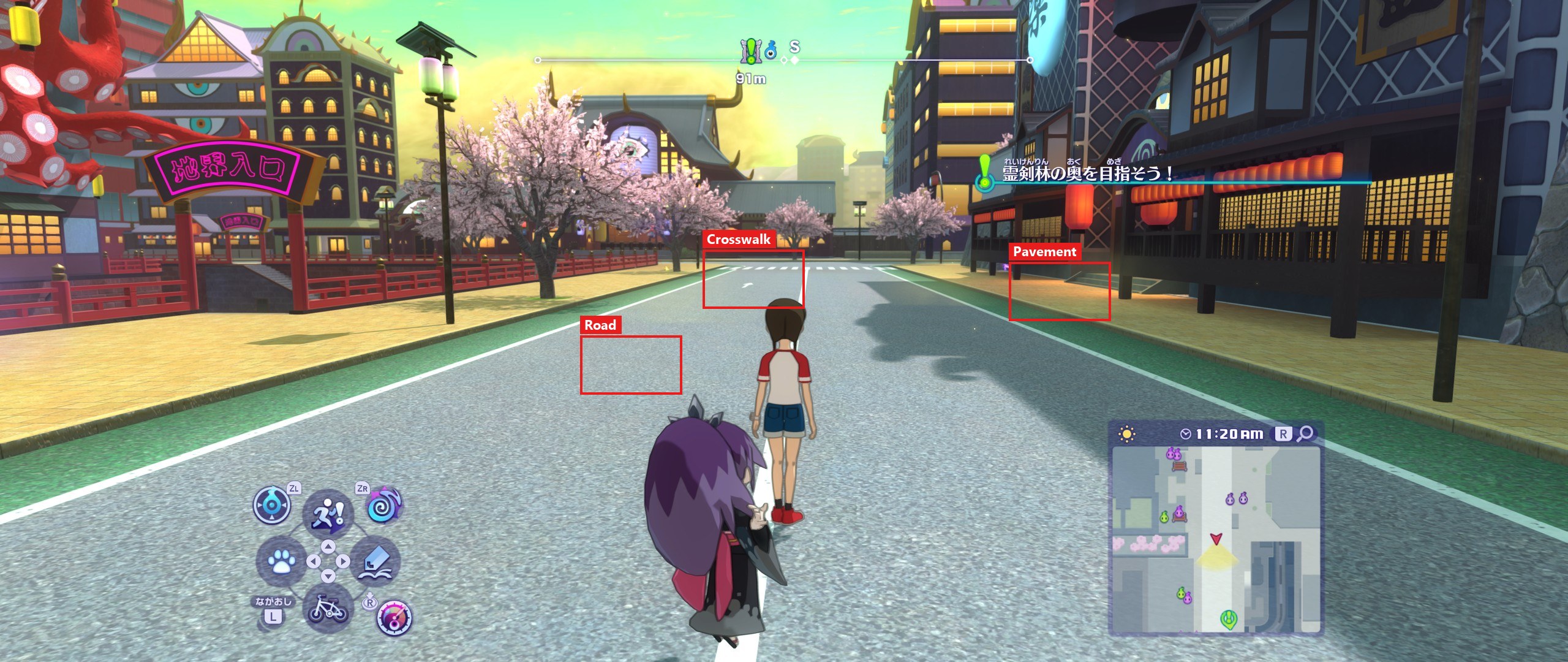
Without it the ground blurs a short way ahead. Anisotropic filtering keeps the road, pavement and walls sharp into the distance, even at a low angle. Yo-kai World, zoomed in 2×.

Setting
F1 Detail › Texture filtering
Switch
Off
Recommended
×16, almost no cost
Yo-kai World street with ×16 texture filtering, the whole frame, the close-ups marked in red
The whole frame, ×16; the red boxes are the close-ups below.
!

Upscaling: DLSS and FSR

Performance

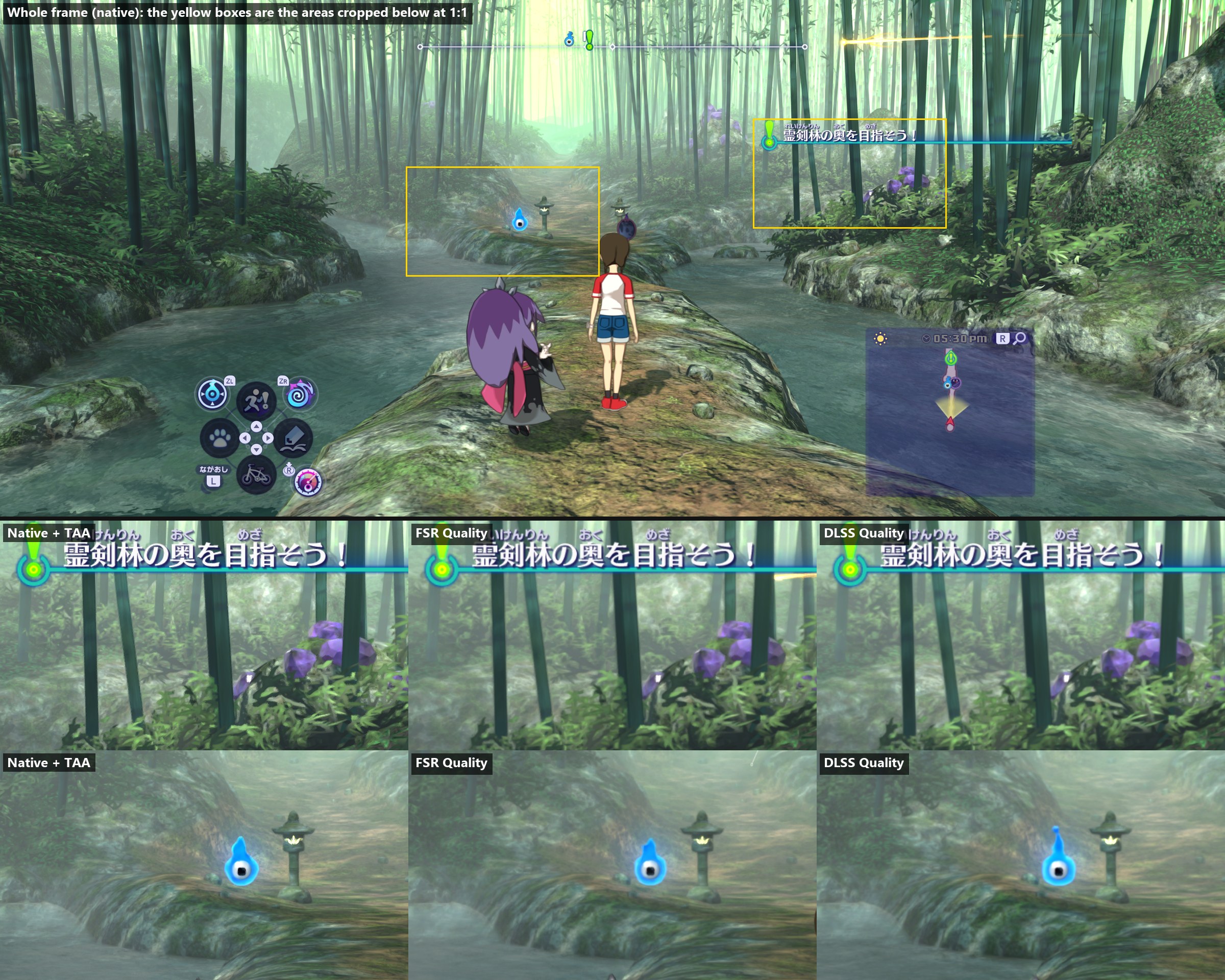
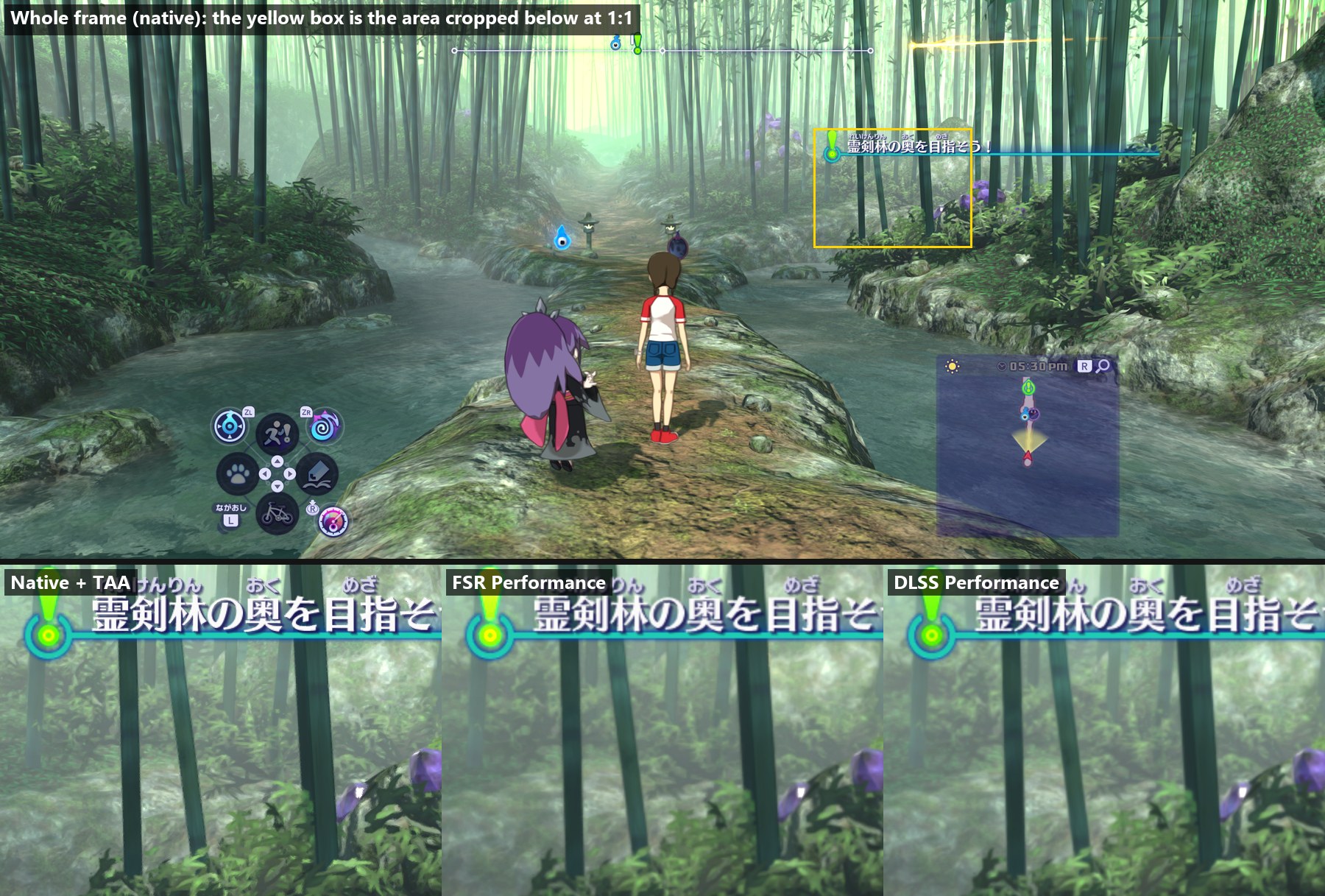
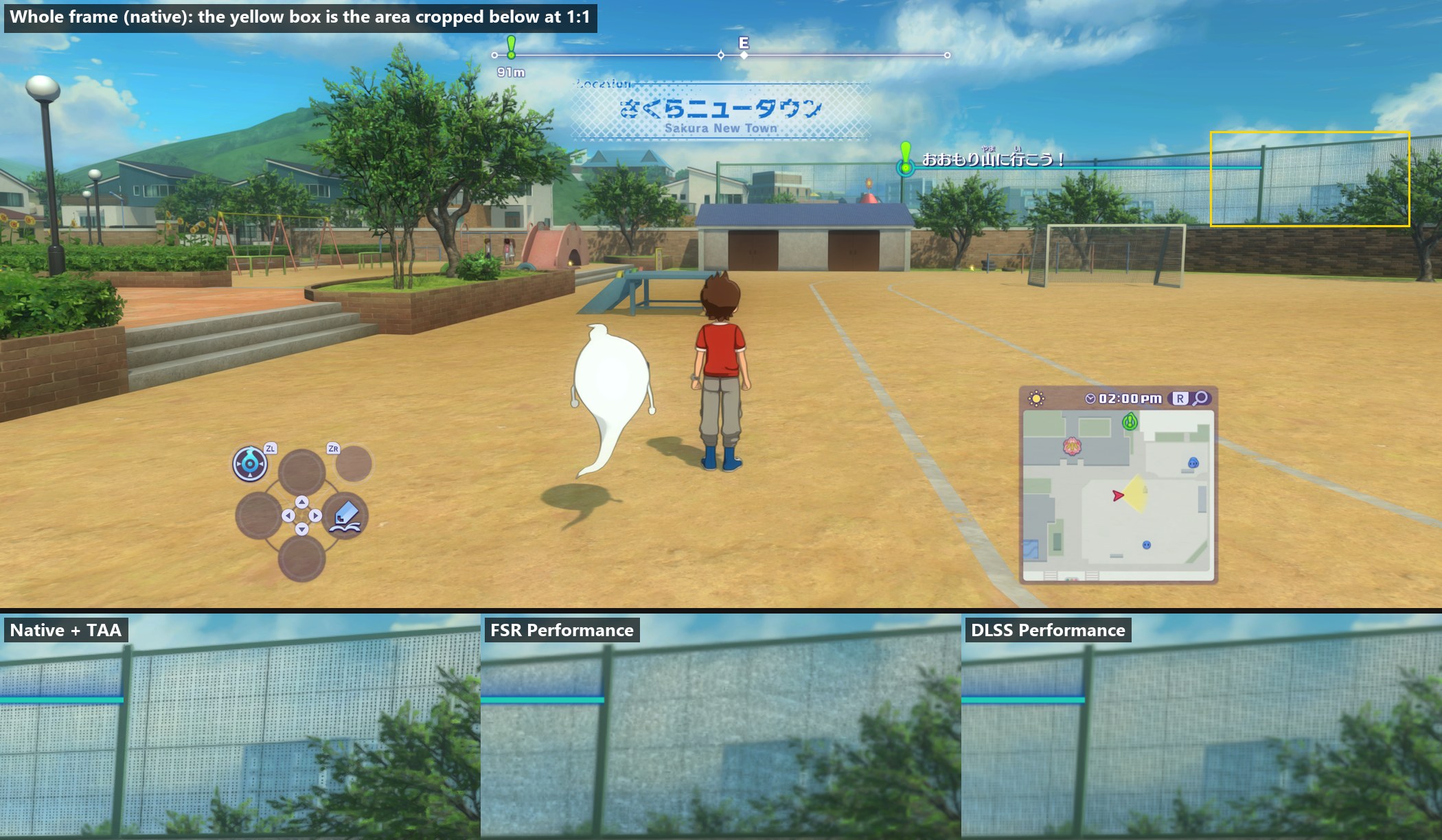
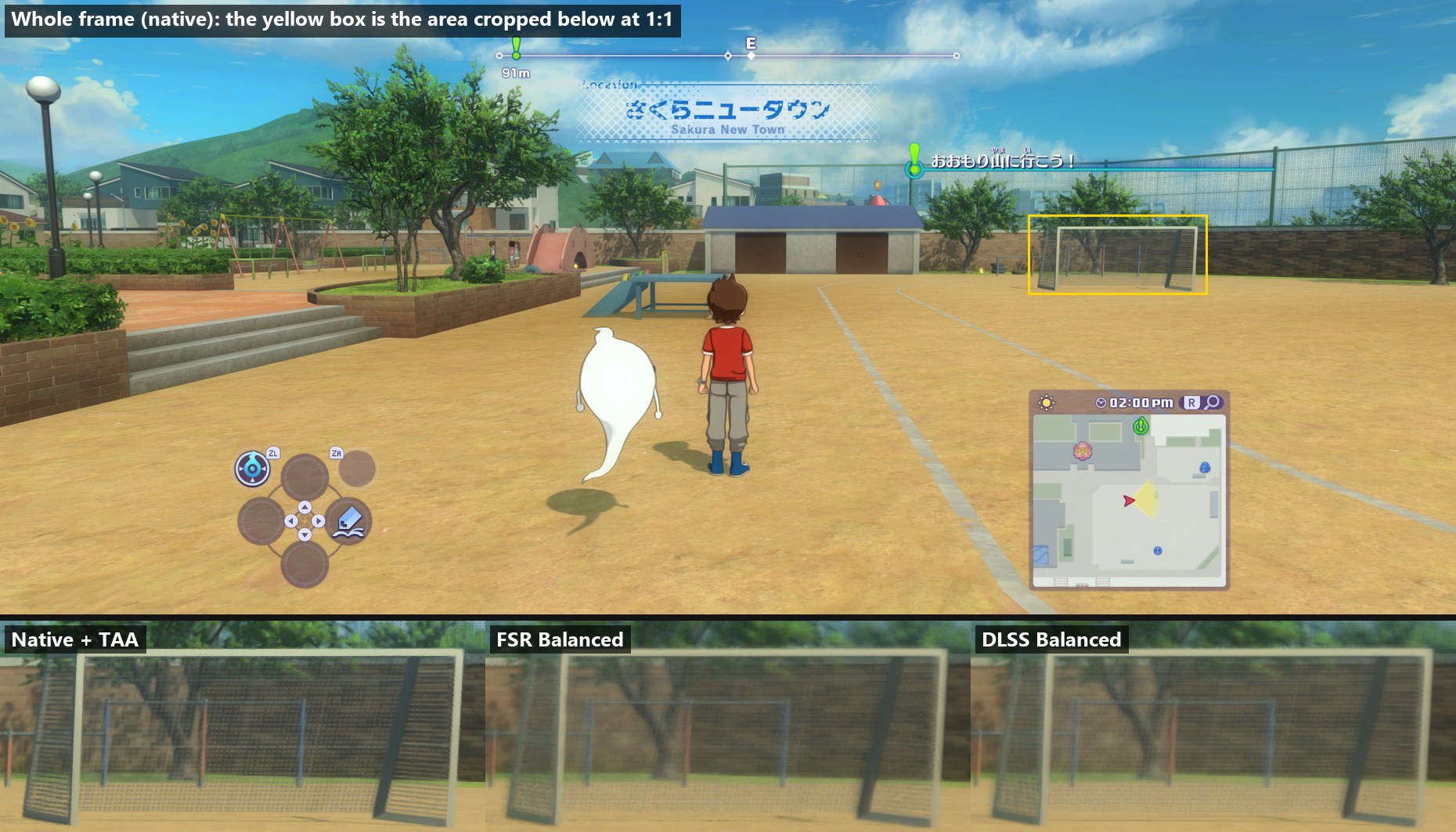
The world is drawn smaller than the resolution and rebuilt at full size from the frames before; the menus are drawn afterwards at full size. DLSS for the cleanest picture, FSR for the most frames. Each image: the whole native frame on top, the 1:1 crops underneath.

Setting
F1 Anti-aliasing › Upscaling
DLSS
NVIDIA RTX, else FSR
FSR
any GPU
Mode · 4K 21:9 · RTX 4070 laptopWorld drawn atDLSSFSR
Native, TAA5120×2160~81 frames/s
Quality3413×1440~85~94
Balanced3013×1271~92~106
Performance2560×1080~82~118